Free & Open Source · WordPress Plugin
Global Market Prices — live crypto, stocks & commodities on your site.
Display cryptocurrency prices, stock quotes, commodities, ETFs and Bitcoin corporate treasury holdings using simple shortcodes and widgets. No coding required.

What it does, at a glance
One plugin, every major asset class
Cryptocurrency prices
Bitcoin, Ethereum, Solana and 10,000+ coins via CoinGecko — price, 24h change and volume, cached automatically.
Stock market data
US stocks and ETFs via EODHD, Alpha Vantage or Twelve Data — including Bitcoin miner stocks like MARA, RIOT and CLSK.
Bitcoin treasuries
Track the top public companies holding Bitcoin — MicroStrategy, Tesla, Marathon Digital and more, with USD valuations.
Commodities & ETFs
Gold, Silver, Oil and crypto ETFs like IBIT, ETHA and BSOL — one shortcode per asset group.
Forex rates
Live currency pair rates (e.g. EUR/USD, GBP/USD) displayed as cards or tables.
Charts & sparklines
Historical price charts powered by Chart.js, plus compact inline sparklines with optional value labels and tooltips.
Shortcode quick-look
Paste one line, get live data
[daaz_gmp_crypto coins="bitcoin,ethereum,solana"]
Cryptocurrency prices, 24h change and volume.
[daaz_gmp_markets symbols="AAPL.US,MSFT.US" display="cards"]
Stock market quotes as cards.
[daaz_gmp_commodities symbols="GC.US,SI.US"]
Gold and Silver commodity prices.
[daaz_gmp_treasuries limit="10" display="table"]
Top companies holding Bitcoin as corporate treasury.
[daaz_gmp_forex pairs="EUR/USD,GBP/USD" display="cards"]
Foreign exchange rates for currency pairs.
[daaz_gmp_charts coin="bitcoin" days="30" height="300"]
A 30-day historical price chart.
Your own keys, your own data
Works with the providers you already trust
CoinGecko
EOD Historical Data
Alpha Vantage
Twelve Data
CoinMarketCap
CoinCap
Finnhub
+ more
Each provider requires your own free API key — no middleman, no markup. Free keys are available directly from each provider.
Get started in 3 steps
Live prices on your site, in minutes
1 Activate & open Settings
→
2 Register a free API key
→
3 Paste
[daaz_gmp_crypto coins="bitcoin"]Who it’s for
Built for anyone who needs live market data
Financial news sites
Embed live tickers and price tables alongside editorial content.
Crypto blogs & portfolios
Show real-time coin prices without a third-party widget.
Investment education sites
Use live data in tutorials, courses and market commentary.
Trading communities
Give members a shared, always-current price reference.
Business dashboards
Surface relevant market data on an internal or client-facing dashboard.
Lightweight by design
Cached via WordPress transients — no front-end API calls slowing your pages down.
Inside the plugin
A clean admin, from setup to monitoring
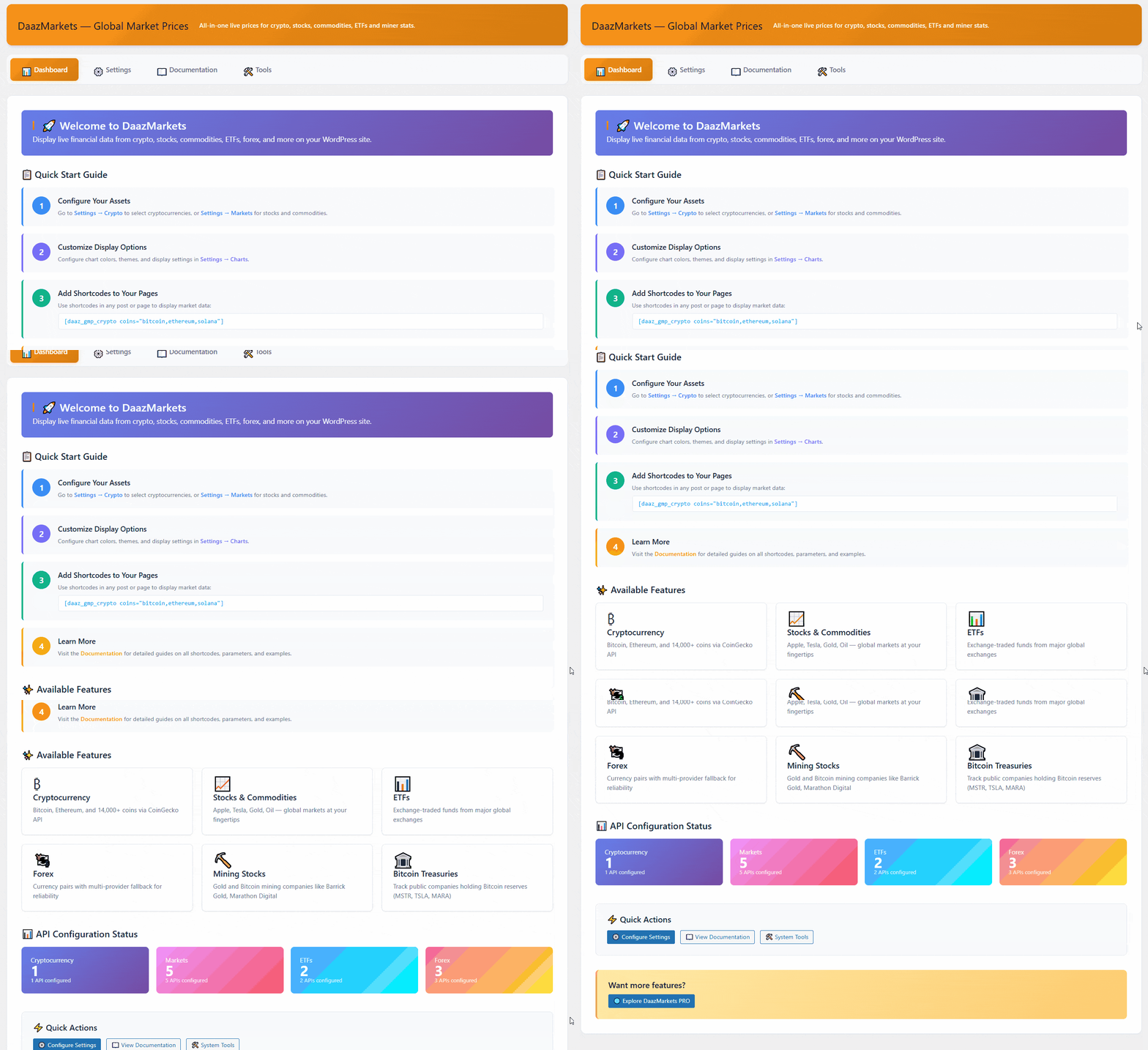
Dashboard
Overview of available shortcodes, quick-start tips, and a summary of all configured data sources at a glance.
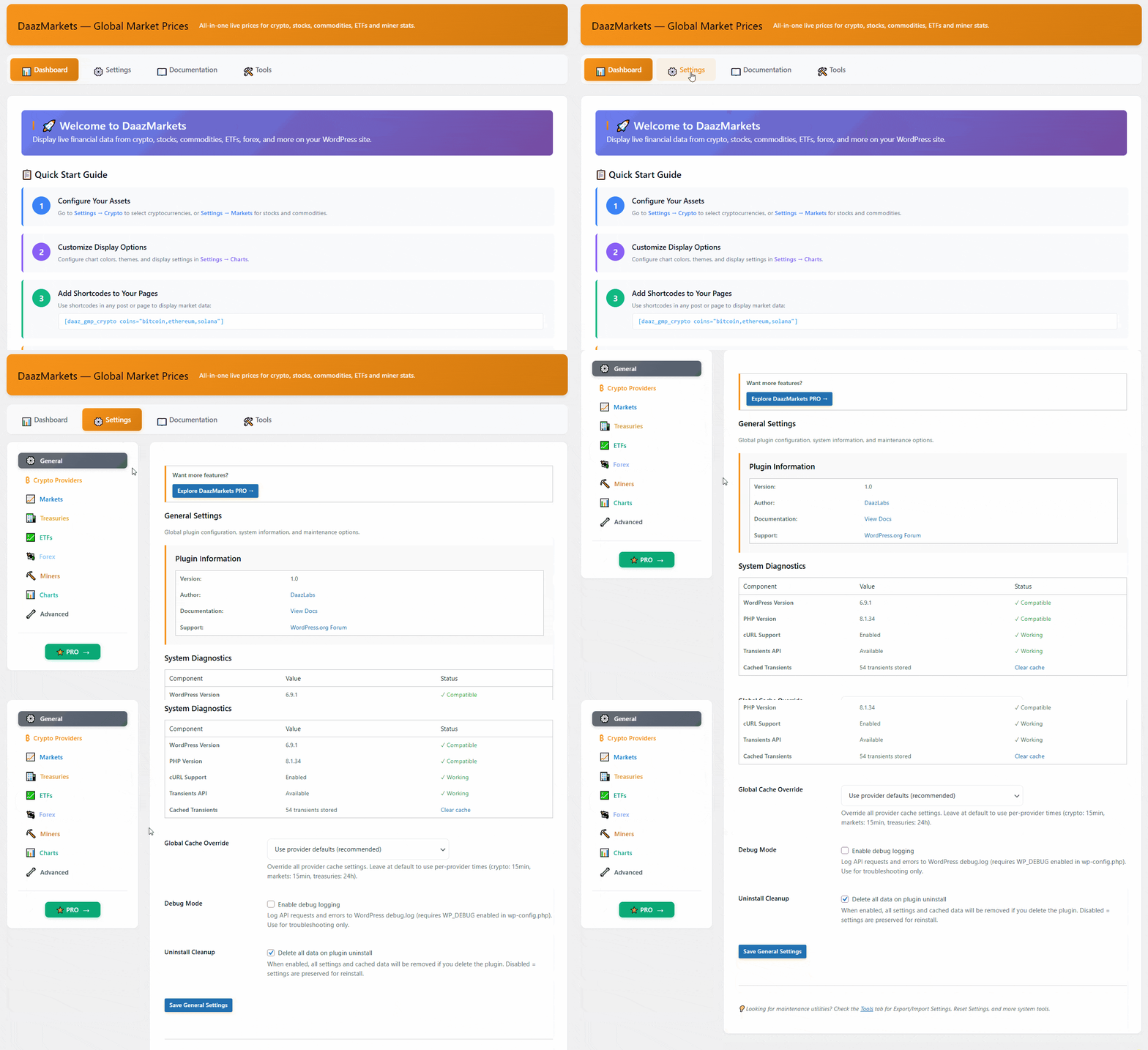
Settings
Tabbed configuration panel where you register your API keys for each data provider — Crypto, Markets, Forex, Miners, Treasuries, ETFs and Charts.
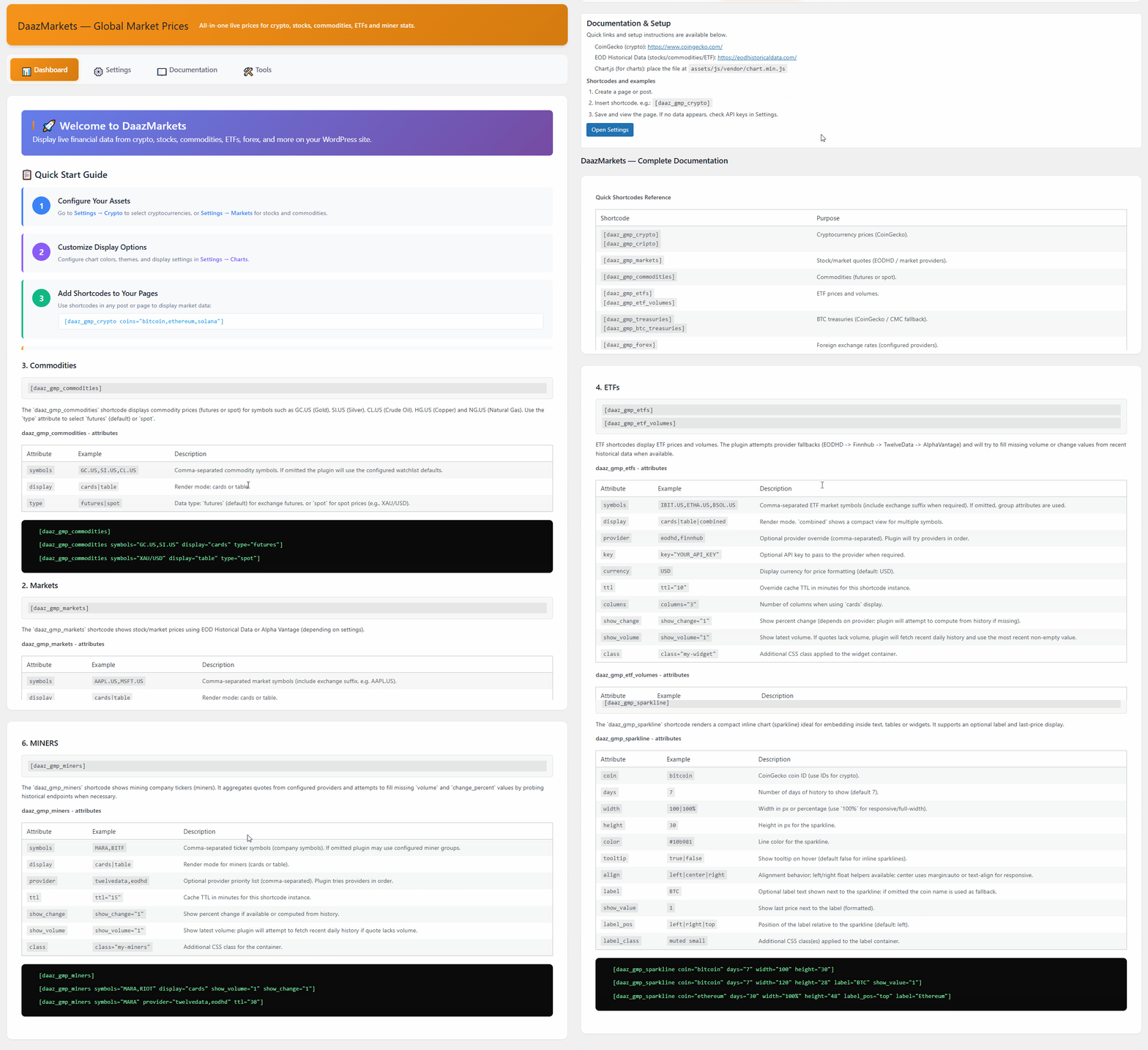
Documentation
Built-in reference guide with shortcode examples, attribute descriptions and usage notes — without leaving WordPress.
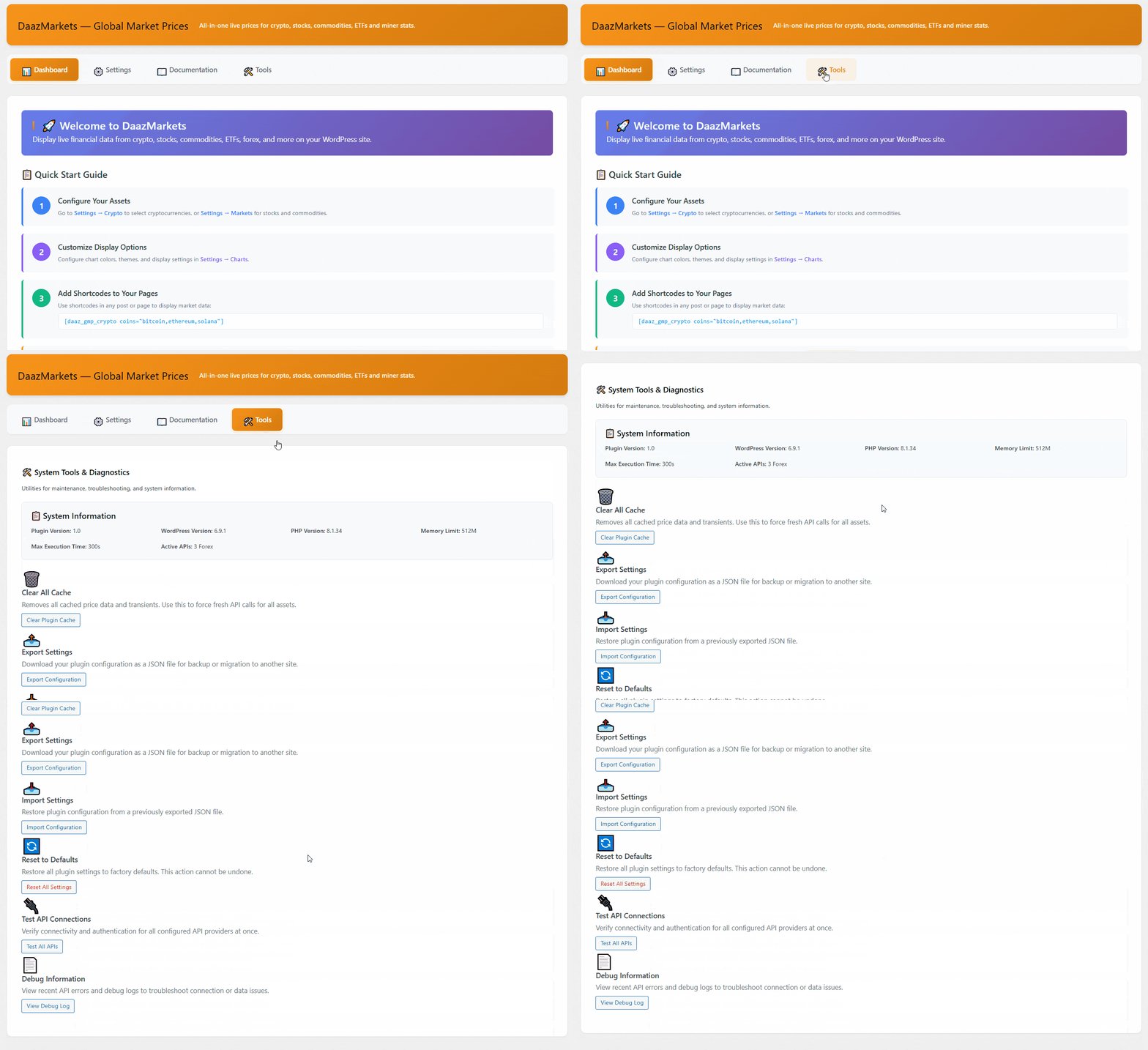
Tools
Connection testing panel — verify each API key is valid and see the live response status for every configured provider.
Common questions
Before you install
Do I need API keys?
Yes. Each provider requires your own free personal API key — the plugin settings pages link directly to each provider’s registration page.
Which cryptocurrencies are supported?
Over 10,000, via CoinGecko. Use the coin ID (e.g. “bitcoin”, “ethereum”, “solana”) — find any coin’s ID on coingecko.com.
Does it work with page builders?
Yes — Gutenberg, Elementor, WPBakery, Beaver Builder and Divi (code module) all support the plugin’s shortcodes.
Are there usage limits?
Each provider enforces its own rate limits on your personal key. WordPress transient caching keeps API calls to a minimum.
Does the plugin collect personal data?
No. It only fetches public market data and caches it — no cookies, no tracking, GDPR compliant.
Where’s the full documentation?
Complete setup guides and the full shortcode reference live at daazlabs.com/docs/global-market-prices/.
Need real-time alerts or portfolio tracking?
DaazMarkets PRO adds advanced charts, price alerts, a portfolio tracker and webhooks/REST API access.
See what PRO adds →
Ready to add live market data to your site?
Free forever for the core plugin. Bring your own API keys — no middleman, no markup.